YouTube Anti-Adblock Blocker - Complete Solution
by Mrwhite0x1
Screenshots
About this software
Tired of YouTube's annoying anti-adblock popups that interrupt your videos? I've created a complete browser extension that blocks these popups AND automatically resumes your video!
✨ Features:
✅ Blocks all anti-adblock popups
✅ Removes overlay backdrops
✅ Auto-resumes video playback
✅ No console errors
✅ Works with page navigation
✅ Manual control option
Step-by-Step Installation:
1. Download the Extension
⬇️ Download Link: youtube-anti-adblock-blocker.zip
(Note: Add actual download link when posting)
2. Extract the ZIP File
Right-click the downloaded file → "Extract All"
Choose a location (e.g., Desktop)
Click "Extract"
(password=jimmeflix.com)
3. Enable Developer Mode in Browser
For Chrome/Edge:
Open browser → Go to: chrome://extensions/
Toggle "Developer mode" ON (top-right corner)
For Brave:
Open: brave://extensions/
Toggle "Developer mode" ON
For Opera:
Open: opera://extensions/
Toggle "Developer mode" ON
4. Load the Extension
Click "Load unpacked" button
Navigate to the extracted folder
Select the folder → Click "Select Folder"
5. Verify Installation
✅ You should see "YouTube Anti-Adblock Blocker" in your extensions list
✅ The extension should be enabled (toggle is blue)
6. Test on YouTube
Go to YouTube.com
Play any video
No anti-adblock popups should appear!
If a popup appears briefly, it will auto-close and resume video
---------------------------------------------------
⚡ Performance:
Lightweight (no external dependencies)
Runs at document start
Minimal resource usage
Works alongside uBlock Origin,Adlock,Adguard,solo
🔧 How It Works:
CSS Injection: Immediately hides anti-adblock elements
DOM Monitoring: Watches for popups in real-time
Smart Removal: Removes popups and overlay backdrops
Auto-Resume: Waits 1 second then resumes video
Error Handling: Safe checks prevent crashes
🎯 What to Expect After Installation:
✅ Working:
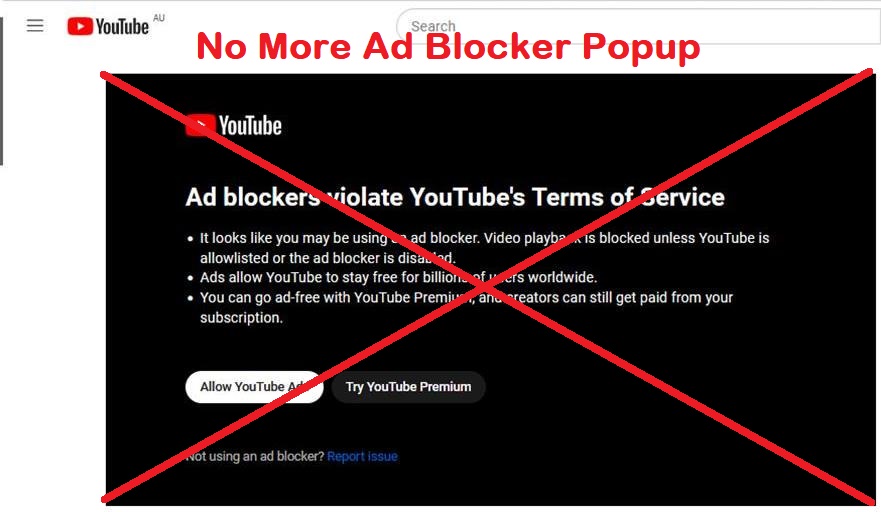
No more "Ad blockers violate YouTube's Terms of Service" popups
No grey overlay blocking the screen
Videos auto-resume after popup blocking
Works on all YouTube pages
⚠️ Possible Issues & Fixes:
If extension doesn't load:
Make sure you extracted the ZIP file
Select the folder containing manifest.json, not the files individually
Check Chrome/Edge is updated
If popup still appears:
Refresh YouTube page (F5)
Clear YouTube cookies
Restart browser
To disable/remove:
Go to chrome://extensions/
Toggle OFF to disable
Click "Remove" to uninstall
⚠️ Note:
This is for educational purposes. YouTube may update their anti-adblock system, requiring selector updates.
Enjoy uninterrupted YouTube! 🎬
#YouTube #Adblock #BrowserExtension #JavaScript #WebDevelopment #Privacy #YouTubePremiumBypass #Adblocker #AntiAdblock #VideoPlayer
✨ Features:
✅ Blocks all anti-adblock popups
✅ Removes overlay backdrops
✅ Auto-resumes video playback
✅ No console errors
✅ Works with page navigation
✅ Manual control option
Step-by-Step Installation:
1. Download the Extension
⬇️ Download Link: youtube-anti-adblock-blocker.zip
(Note: Add actual download link when posting)
2. Extract the ZIP File
Right-click the downloaded file → "Extract All"
Choose a location (e.g., Desktop)
Click "Extract"
(password=jimmeflix.com)
3. Enable Developer Mode in Browser
For Chrome/Edge:
Open browser → Go to: chrome://extensions/
Toggle "Developer mode" ON (top-right corner)
For Brave:
Open: brave://extensions/
Toggle "Developer mode" ON
For Opera:
Open: opera://extensions/
Toggle "Developer mode" ON
4. Load the Extension
Click "Load unpacked" button
Navigate to the extracted folder
Select the folder → Click "Select Folder"
5. Verify Installation
✅ You should see "YouTube Anti-Adblock Blocker" in your extensions list
✅ The extension should be enabled (toggle is blue)
6. Test on YouTube
Go to YouTube.com
Play any video
No anti-adblock popups should appear!
If a popup appears briefly, it will auto-close and resume video
---------------------------------------------------
⚡ Performance:
Lightweight (no external dependencies)
Runs at document start
Minimal resource usage
Works alongside uBlock Origin,Adlock,Adguard,solo
🔧 How It Works:
CSS Injection: Immediately hides anti-adblock elements
DOM Monitoring: Watches for popups in real-time
Smart Removal: Removes popups and overlay backdrops
Auto-Resume: Waits 1 second then resumes video
Error Handling: Safe checks prevent crashes
🎯 What to Expect After Installation:
✅ Working:
No more "Ad blockers violate YouTube's Terms of Service" popups
No grey overlay blocking the screen
Videos auto-resume after popup blocking
Works on all YouTube pages
⚠️ Possible Issues & Fixes:
If extension doesn't load:
Make sure you extracted the ZIP file
Select the folder containing manifest.json, not the files individually
Check Chrome/Edge is updated
If popup still appears:
Refresh YouTube page (F5)
Clear YouTube cookies
Restart browser
To disable/remove:
Go to chrome://extensions/
Toggle OFF to disable
Click "Remove" to uninstall
⚠️ Note:
This is for educational purposes. YouTube may update their anti-adblock system, requiring selector updates.
Enjoy uninterrupted YouTube! 🎬
#YouTube #Adblock #BrowserExtension #JavaScript #WebDevelopment #Privacy #YouTubePremiumBypass #Adblocker #AntiAdblock #VideoPlayer
System Requirements
Browser: Chrome 88+ / Edge 88+ / Brave 1.19+ / Opera 74+
OS: Windows 10 / macOS 10.14+ / Linux (any modern distro)
RAM: 512MB minimum
Storage: 100KB for extension files